

Chat Icon
  
Chat Icon

Guide: How to Register and Activate My Account


  1. 1. Go to this link: https://gammakappaphi1962.com/register


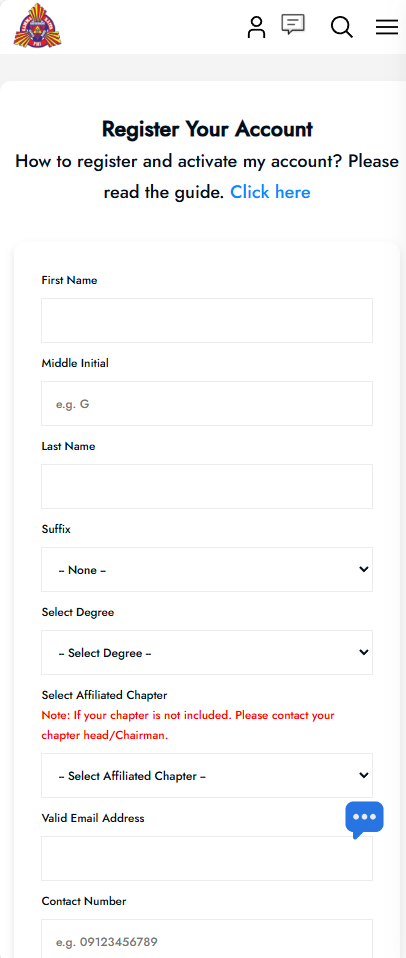
  2. 2. Input your details and submit your registration request.
    Registration Form


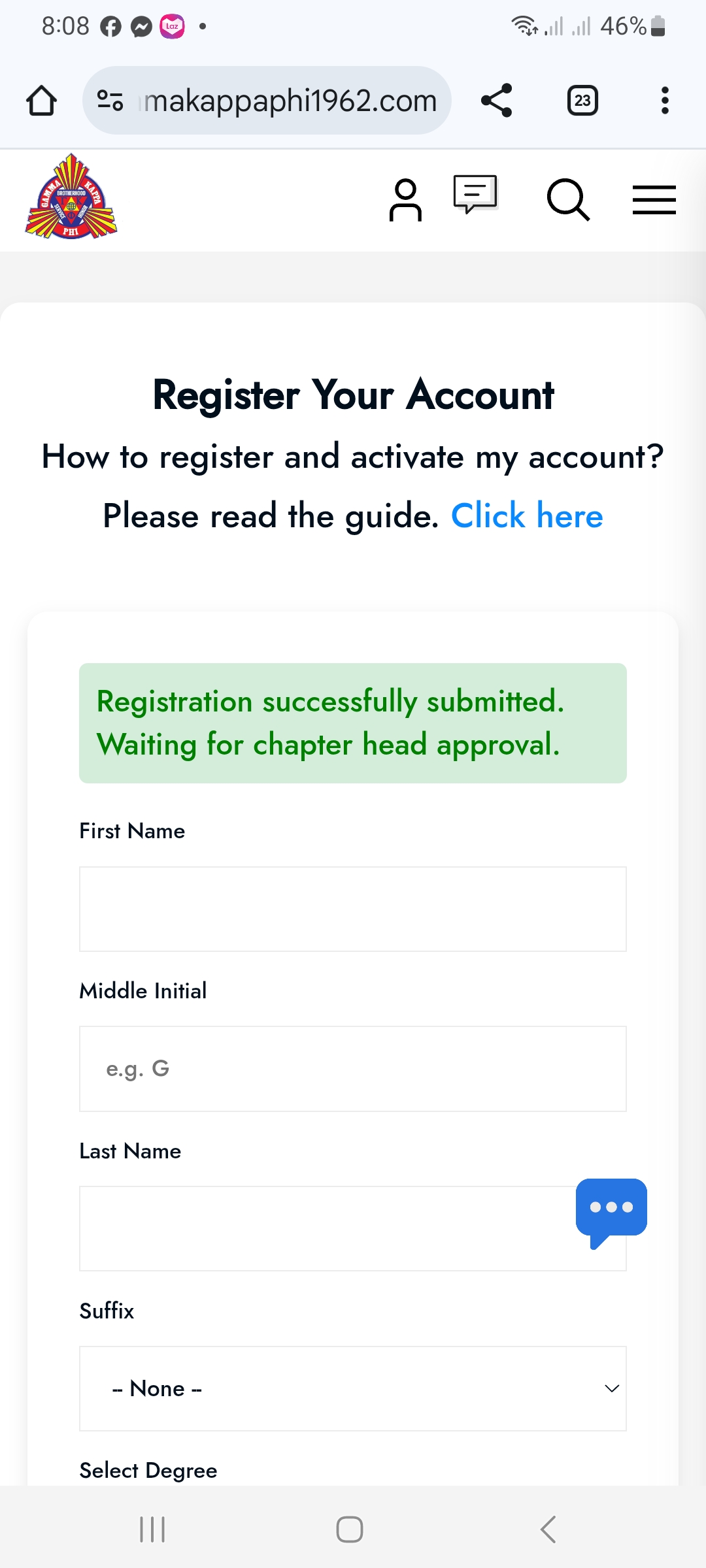
  3. 3. Once your registration is successfully submitted, please wait for approval from your chairman or chapter leader. You may also contact them directly to inform them that you have registered your account.
    Pending Approval


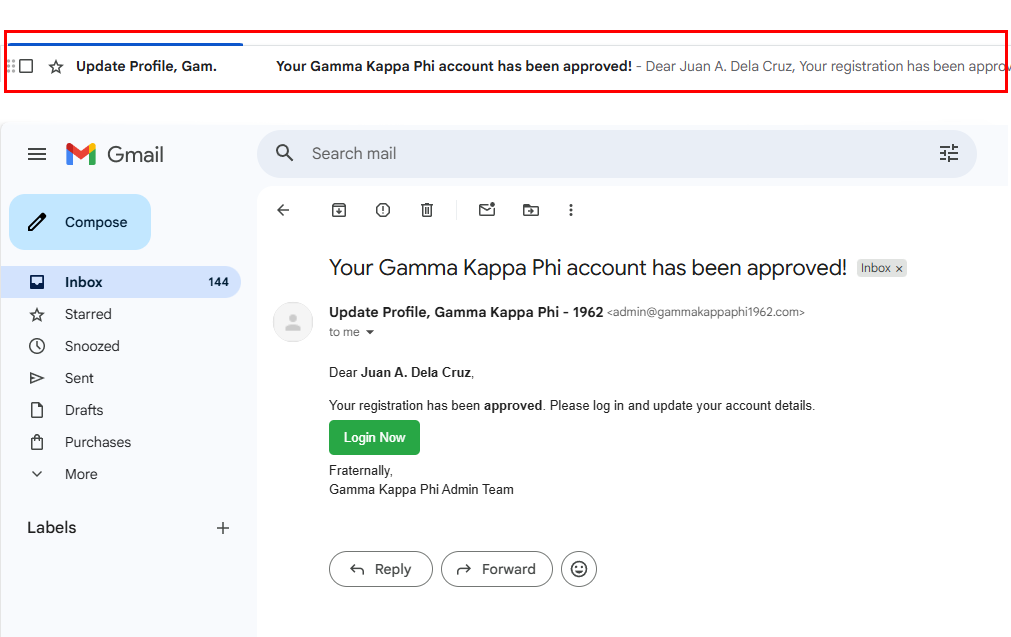
  4. 4. If your registration request has been approved, you will receive a confirmation email at your registered email address. Click the “Login Now” button to access your account.
    Login Confirmation


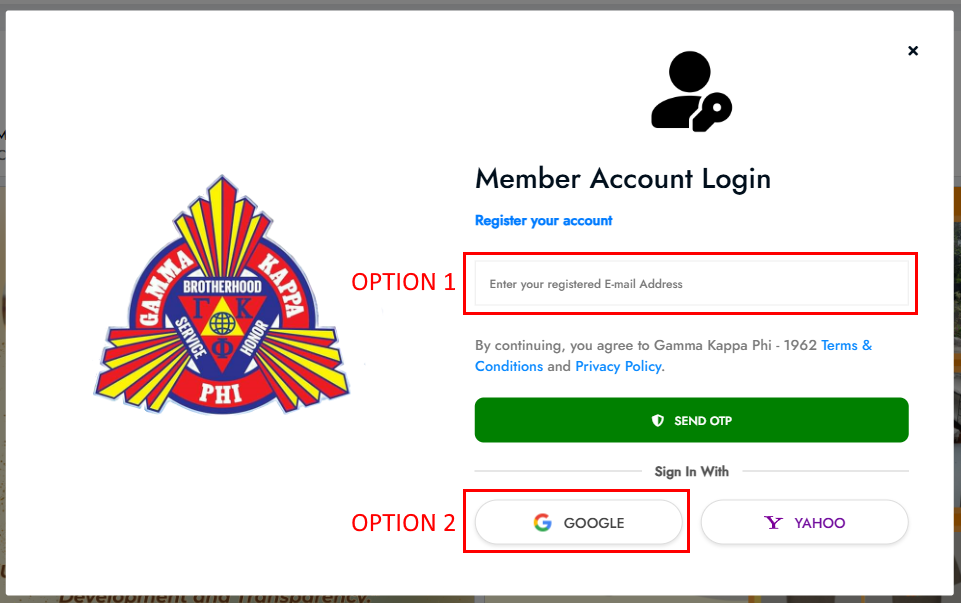
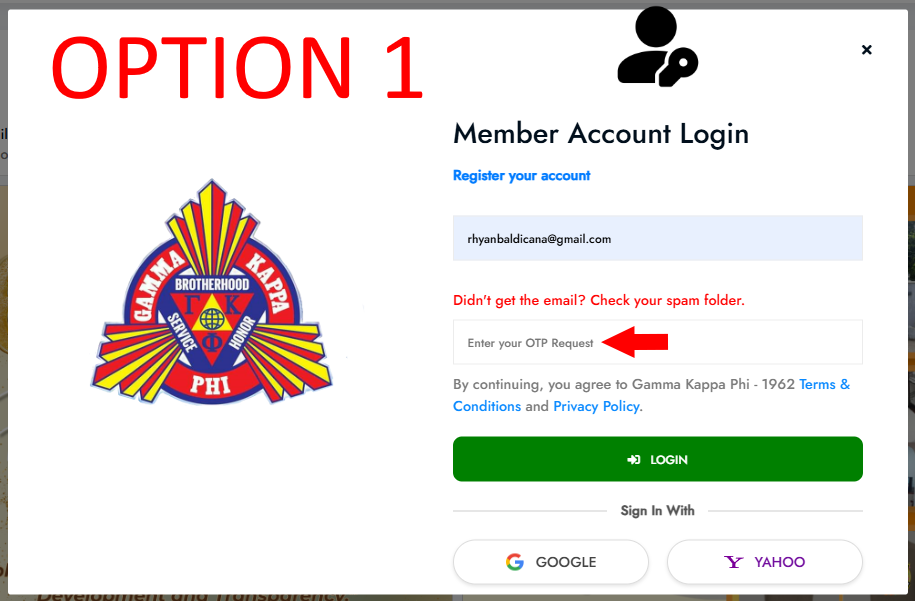
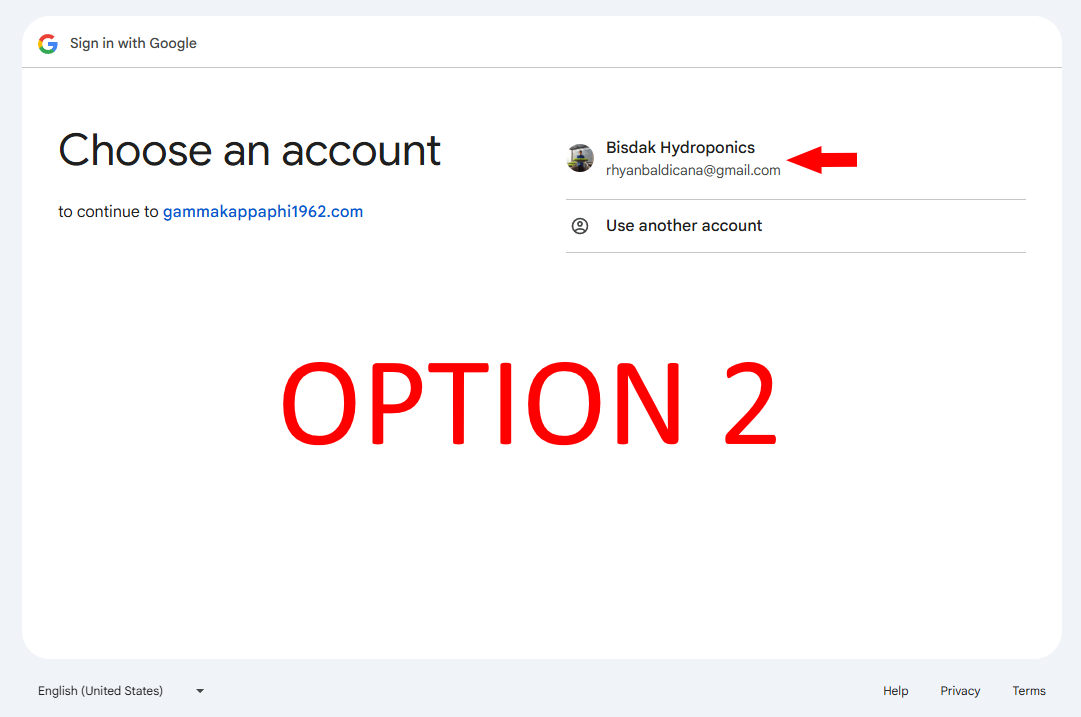
  5. 5. Option 1: Enter your email address and request an OTP sent to your email. Once you receive the OTP, enter the code and submit.

    Login Options Login Options Option 2: Click the “Sign In with Google” button to directly log in to your account.
    Login Options


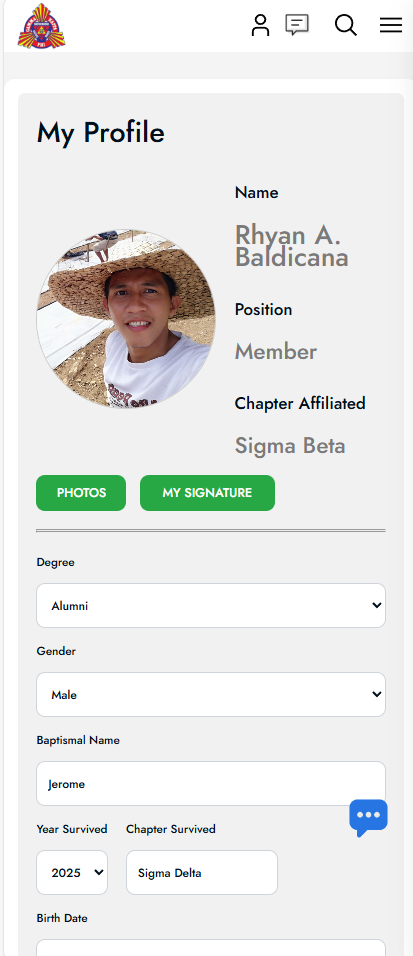
  6. 7. Once logged in, you can update your profile and start exploring the members’ features.
    User Dashboard


  7. 8. Click Here and register your account now! https://gammakappaphi1962.com/register